PeerMoove
Role
User Research, Product Design, Website Design, Admin Dashboard
Industry
Logistics
Timeline
May 2024
Product overview
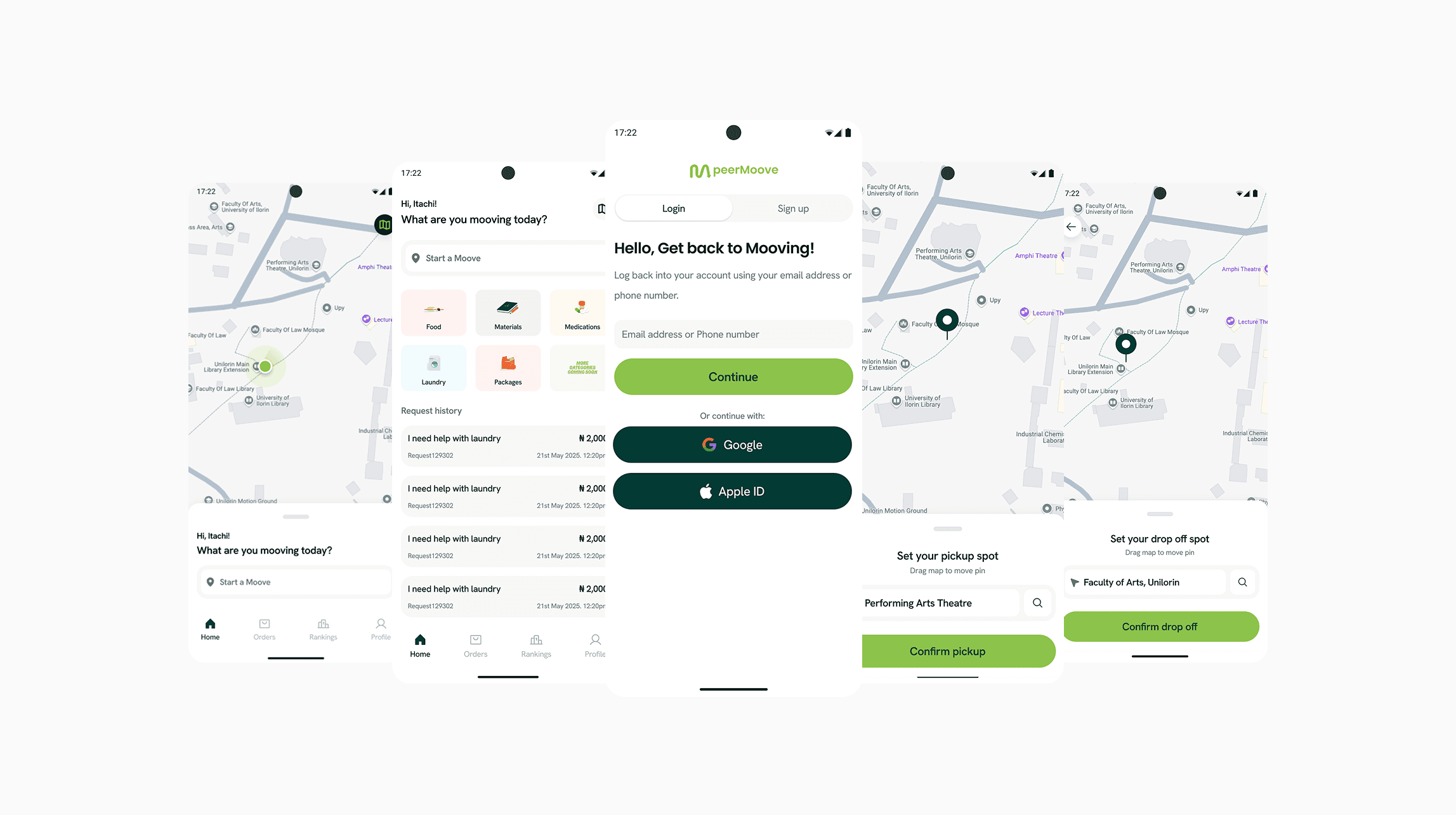
peerMoove is a campus logistics and delivery platform built to solve a real student problem: convenience.
With peerMoove, students can send, receive, and purchase items across campus through a mobile app, while peerMoovers (fellow students) fulfil those errands and earn an income.
Students constantly move items across campus but lack reliable, affordable options. peerMoove introduces a peer-to-peer system. Any student can request help. Any student can become a “Moover” and earn money, rewards, and recognition.
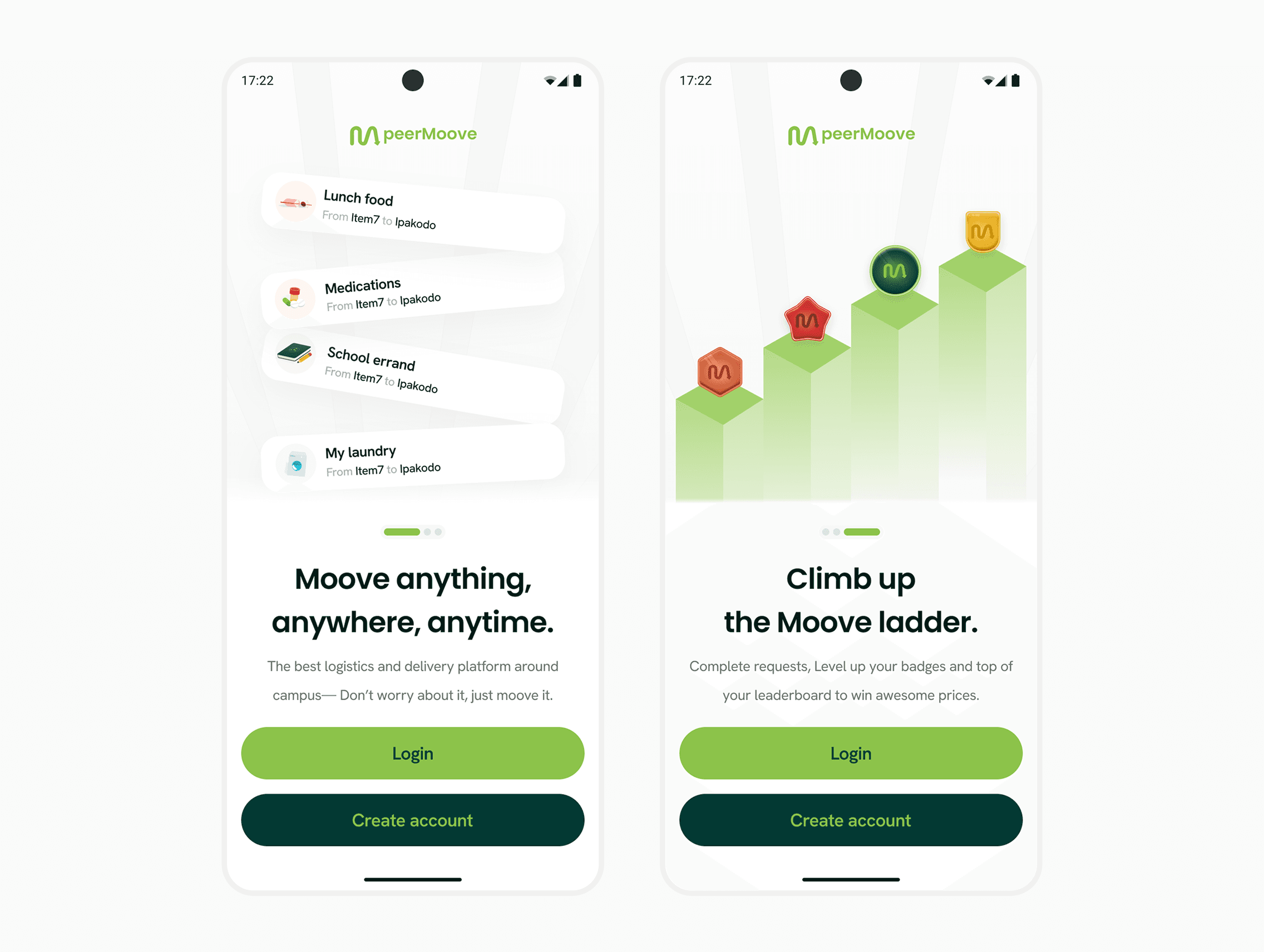
Onboarding screens
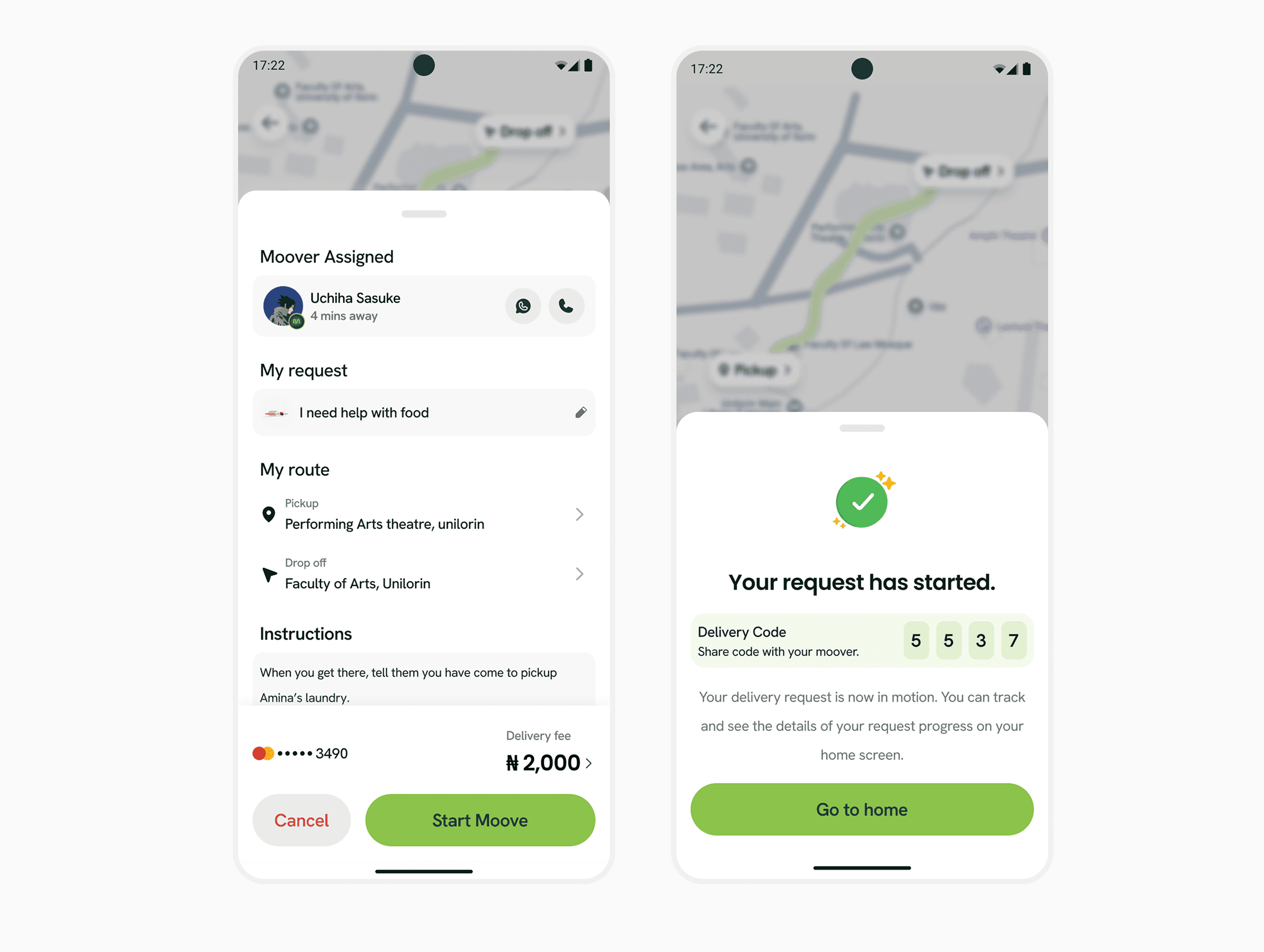
Moove details + Order in progress
My Role
My role covered mobile design, admin dashboard, waitlist flow, and custom illustrations. The goal was to build a smooth, safe, and motivating experience for students while giving the operations team full oversight.
I joined the team to collaborate closely with stakeholders and drive the product’s evolution from discovery to testing. Stepping in as the lead designer, I took ownership of transforming the initial MVP—prioritizing features, setting internal deadlines, and ensuring seamless communication across the team.
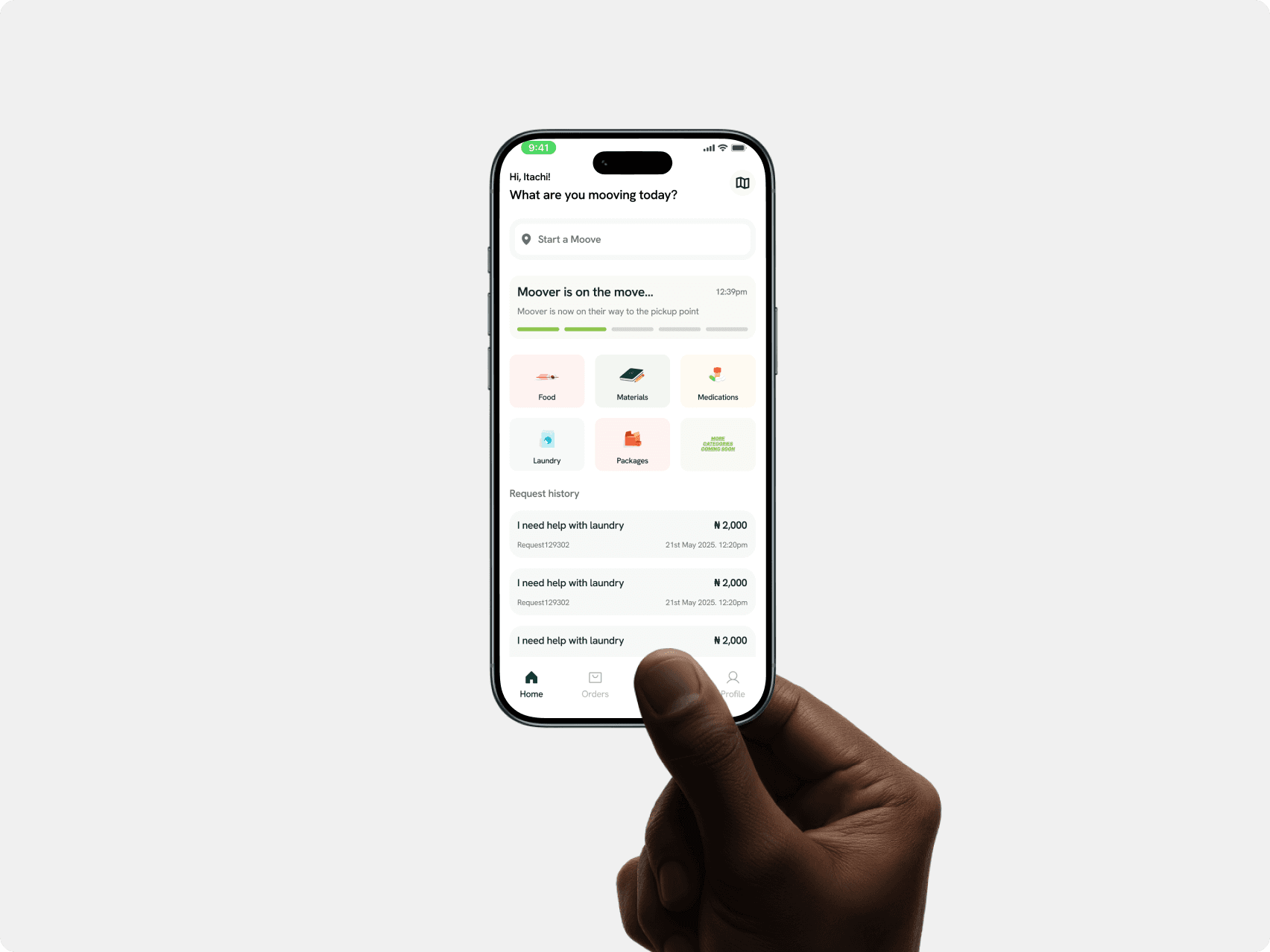
Homepage of user (Requester)
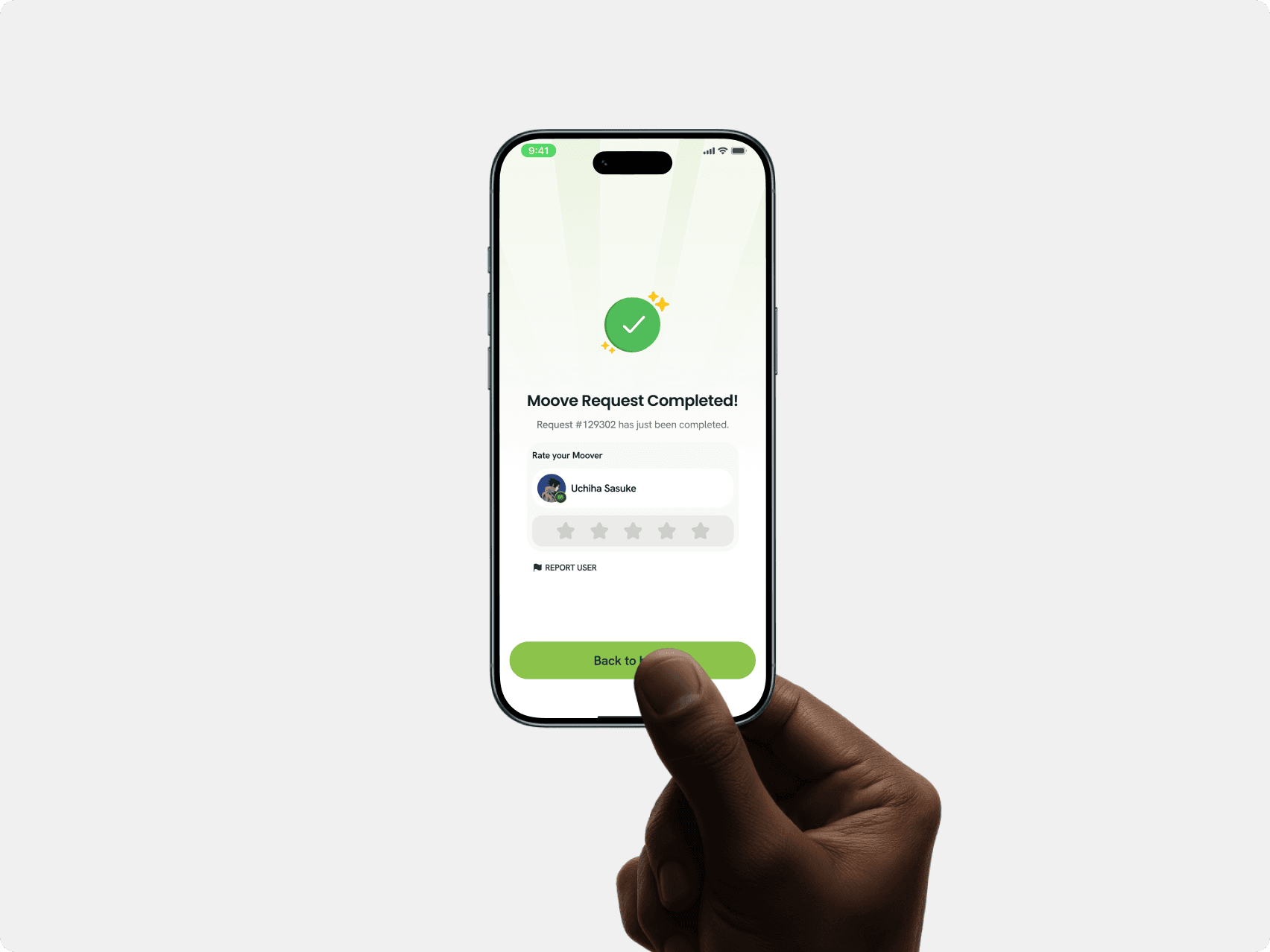
Order/delivery success
Challenges faced
University students typically face credible difficulties in meeting basic needs due to several constraints including distance, time, fatigue, and natural human laxity. Despite the existence of a manual alternative, the inefficiencies leave a significant gap in convenience.
As the lead designer designing a product to be user-friendly, convenient and intuitive, Some of the challenges I came across from extensive user research and testing were:
1. Trust and safety concerns among students
Research across 5 campuses revealed a consistent pattern. Students worry about strangers handling their belongings. Trust was a major blocker. 6 out of 10 said they would only use a peer-delivery service if strong safety features exist. This shaped most design decisions.
2. Non-tech-savvy users needing a simple, fast flow
Campus surveys showed students install apps but abandon them if tasks take too long. The challenge was creating a zero-friction flow where users create orders without thinking too much.
3. Real-time coordination without confusion
When live tracking, location pings, multiple statuses, and notifications pile up, students feel overwhelmed. The early wireframes produced “notification fatigue” during testing. I needed a clearer hierarchy.
4. Motivation system for Moovers
Moovers lose interest if rewards feel random or slow. Students asked for a system that “feels like a game but still useful.” I needed to build a feedback loop that boosts activity.
5. Scalable way for the admin team to manage thousands of mini-deliveries
The operations team must validate users, monitor safety, track Moover performance, manage disputes, and respond to incidents. The admin dashboard had to support fast decision-making without drowning the team in complexity.
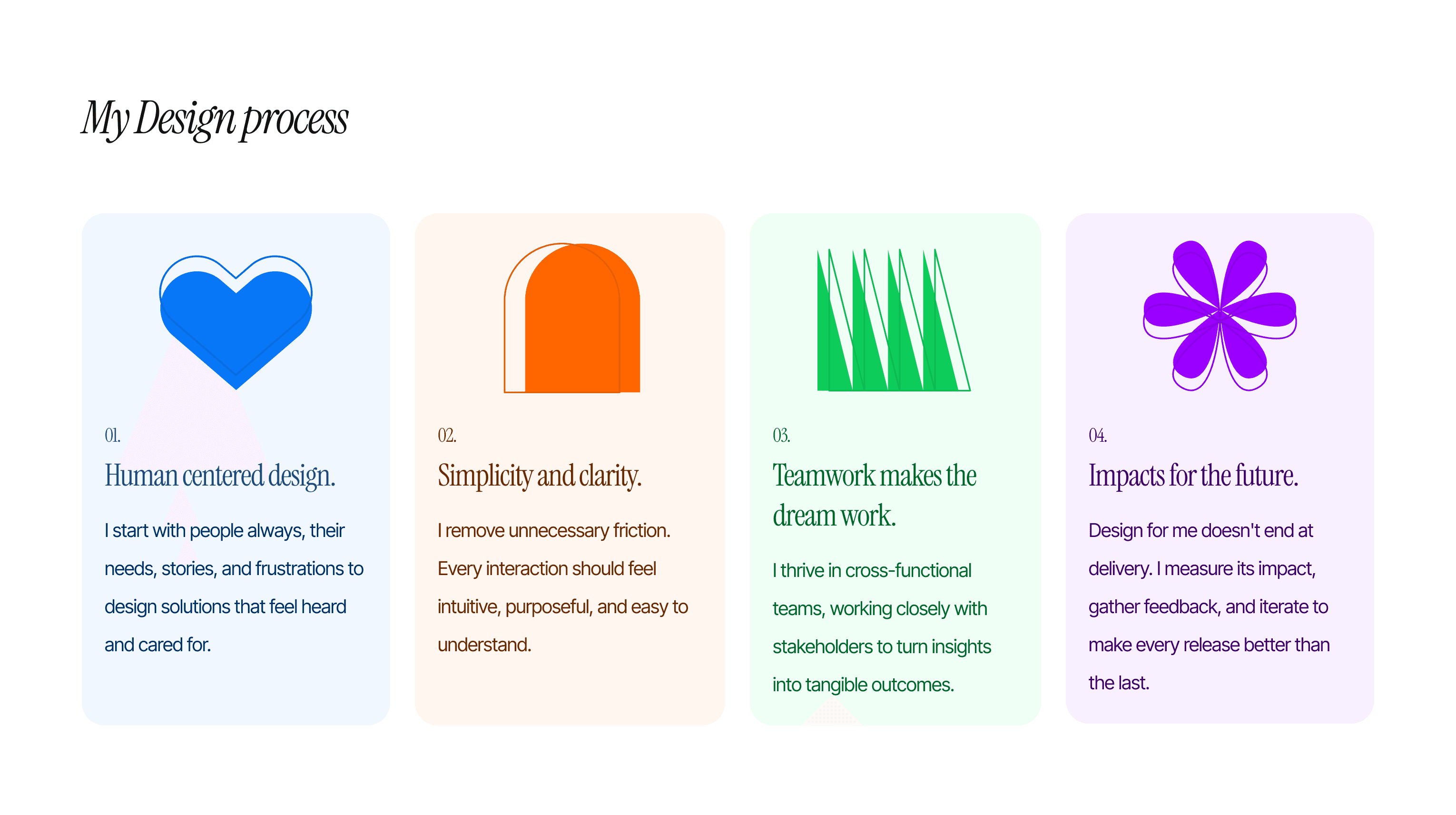
Product Solution
After extensive rounds of research, design iterations and stakeholder feedbacks. The design solution we settled with aimed to redefine the ordering experience by offering an holistic solution that combats the above listed challenges. Some of which are:
1. A trust-first onboarding experience
I redesigned onboarding with:
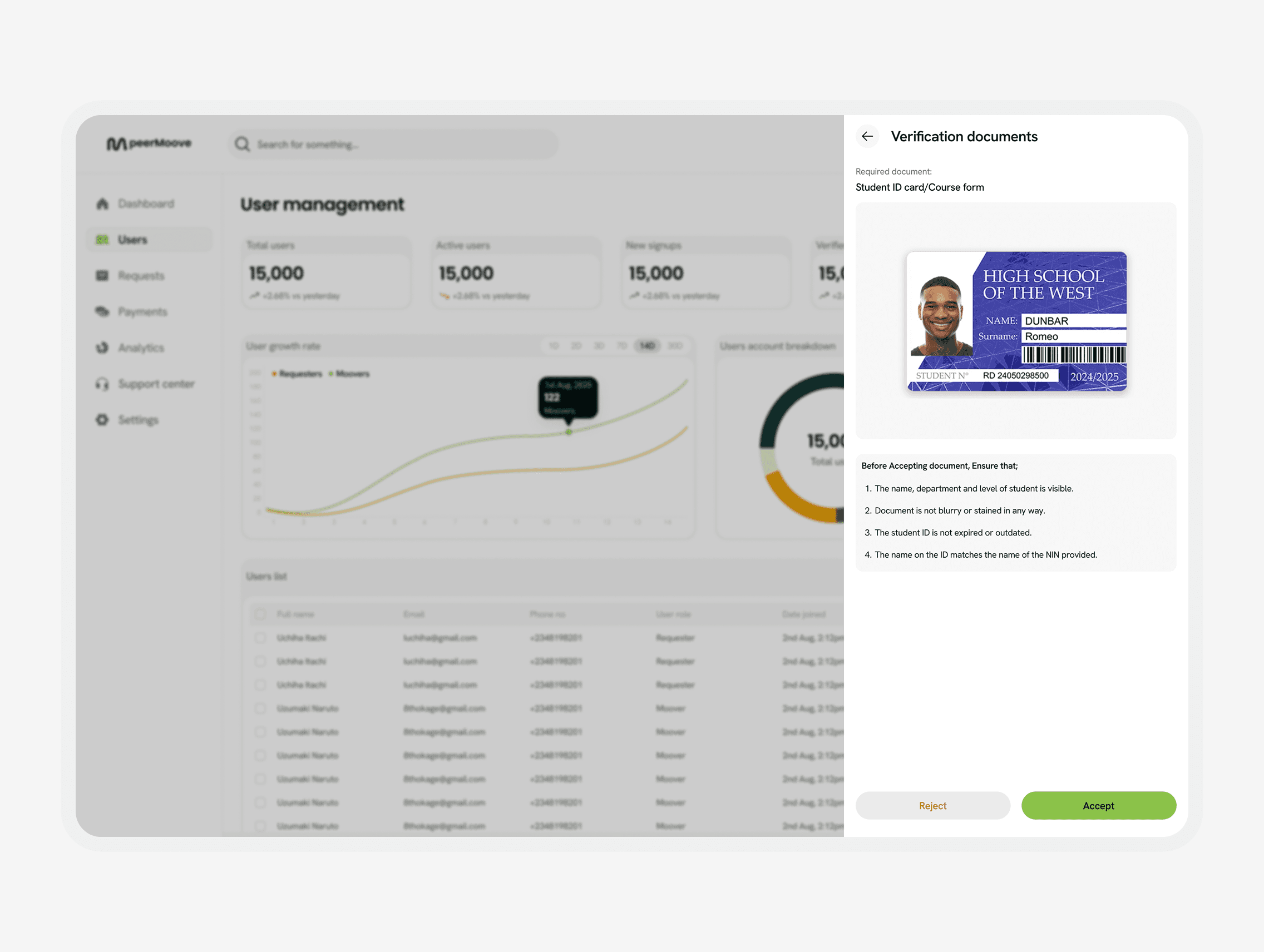
Student ID verification
Profile completeness checkpoints
Clear safety rules
Ratings and historical performance indicators
Test users described this as “comforting.” Safety trust improved by 43 percent in the second research round.
2. A three-step delivery request flow
Request → Pickup → Drop-off.
No extra screens.
No hidden fields.
This reduced average task completion time to 16 seconds during usability tests, down from 41 seconds in the first prototype.
3. Real-time tracking with a clean visual hierarchy
I redesigned the live map so users only see what matters:
Moover location
Estimated arrival
Ongoing status
Important notifications only
All secondary information moved into a “Details Drawer.” Notification fatigue dropped by 61 percent in the next test cycle.
4. Leaderboards, badges, and gamified reward loops
Moovers receive:
Weekly leaderboard positions
Accomplishment badges like “Early Bird Runner,” “5-Star Hotshot,” and “Speedster”
Cash rewards
Priority matching privileges
This design increased Moover willingness to participate by 2.4x in concept testing.
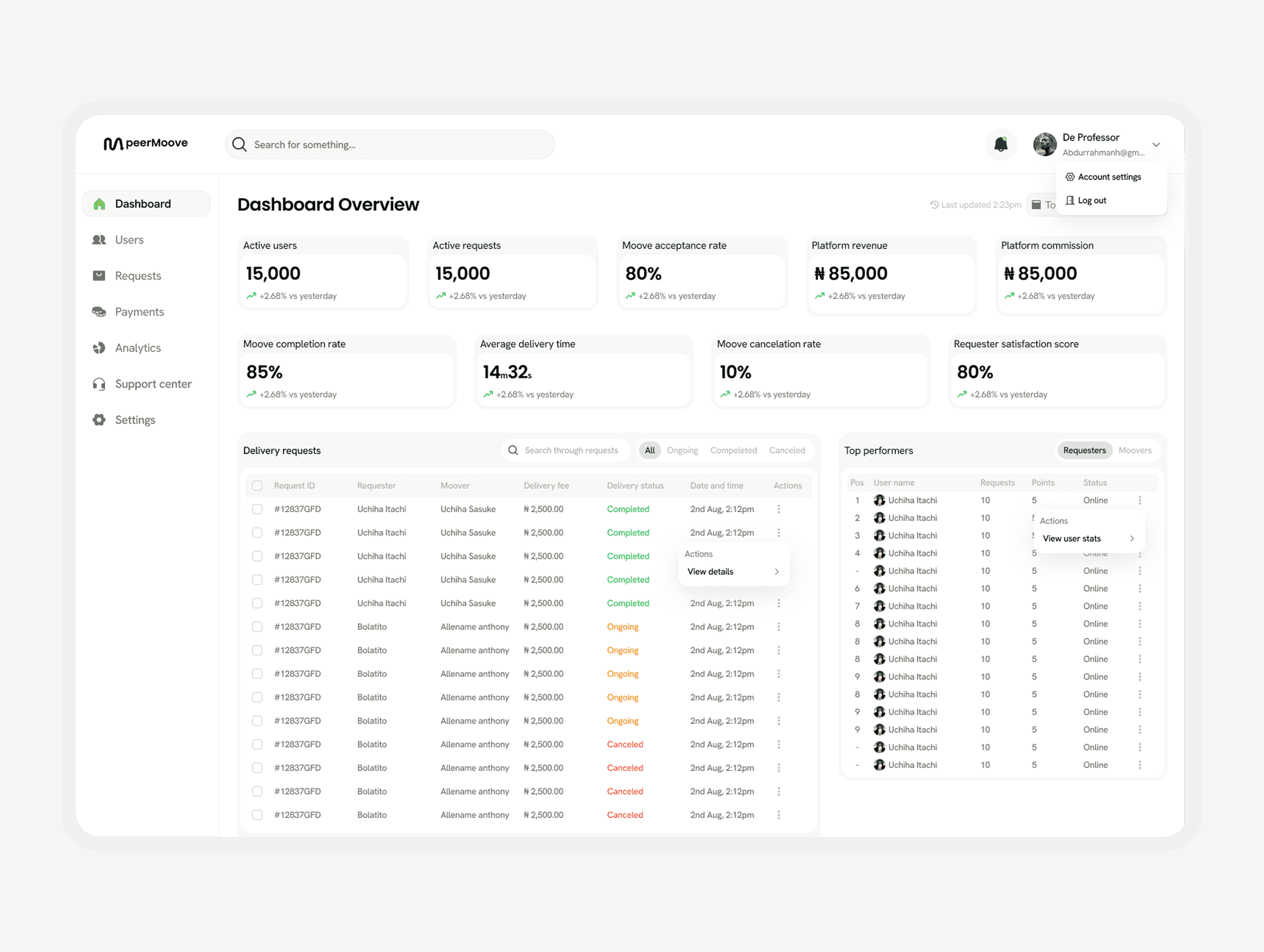
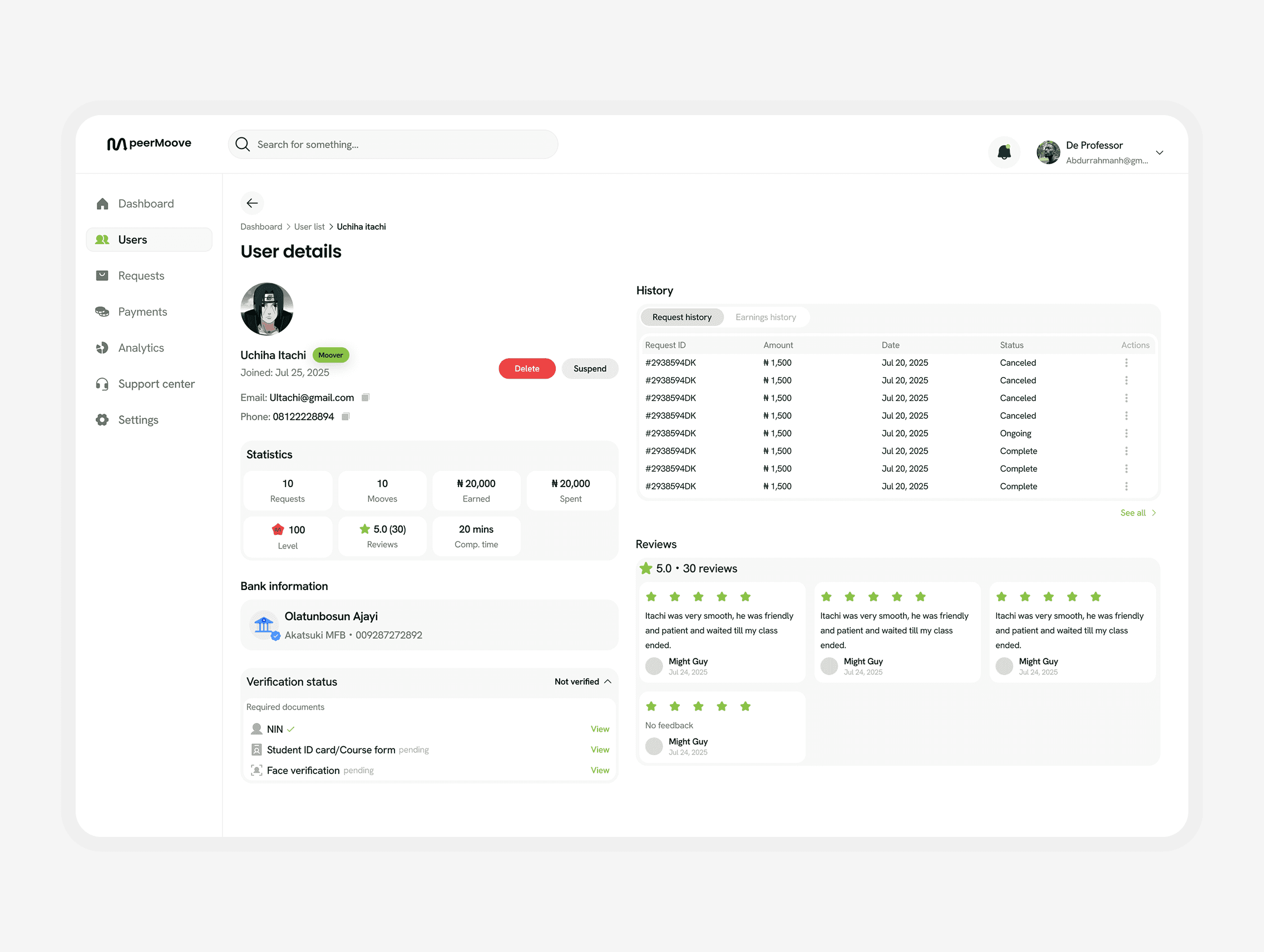
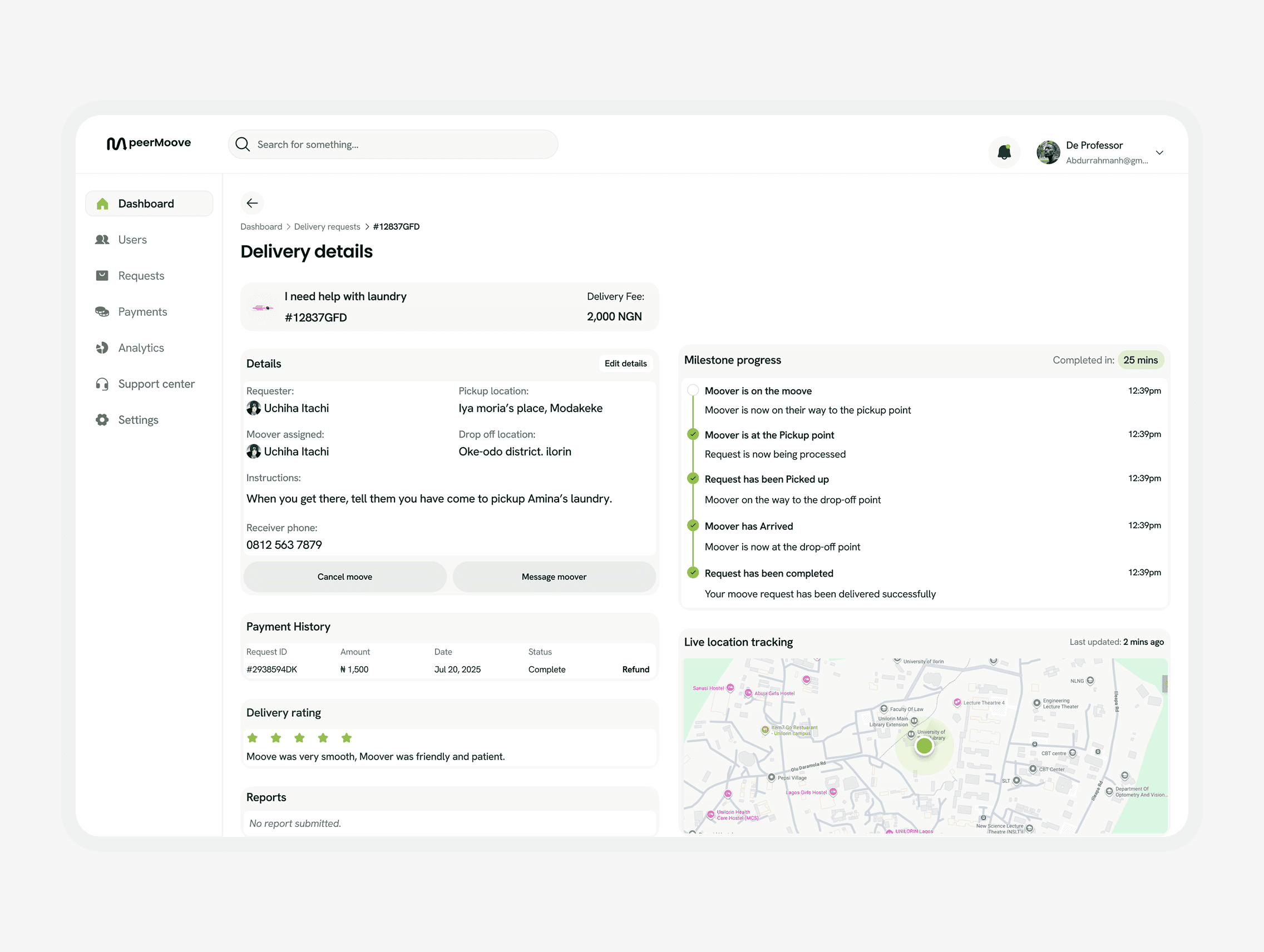
5. A high-clarity admin dashboard
I created modules for:
Moover verification
Pending deliveries
Dispute resolution
Incident reporting
Leaderboard and reward management
Payment oversight
The dashboard uses color-coded severity states. During walkthroughs, the operations team resolved a mock dispute in under 13 seconds, improving speed by over 50 percent compared to initial flows.
6. A waitlist page with emotional pull
Students respond to speed, savings, and social proof. The waitlist highlighted:
“Earn on your schedule” for Moovers
“Get things done faster” for requesters
Bold illustrations of campus life
The waitlist converted 34% of visitors during early testing.
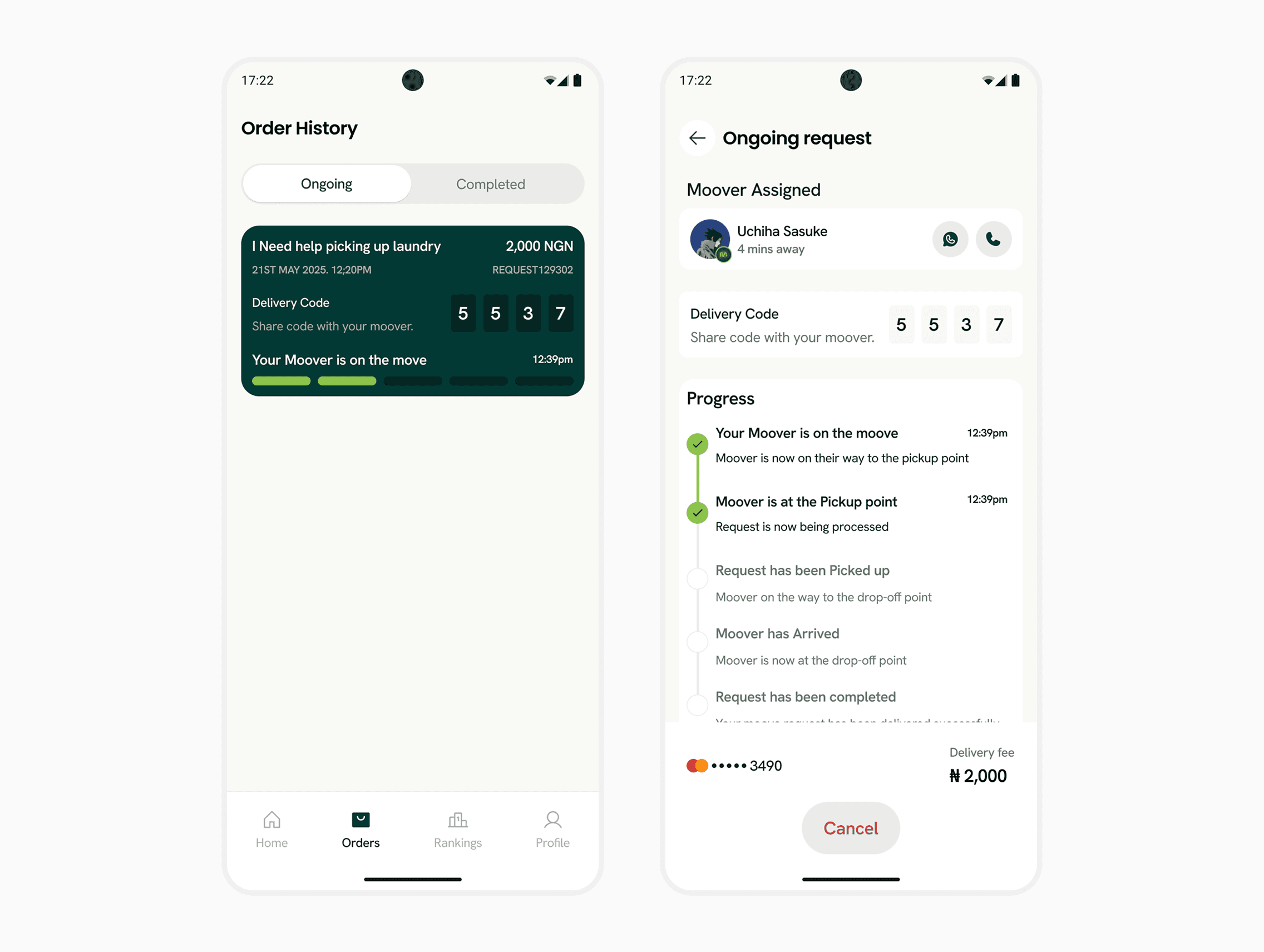
Order history and details
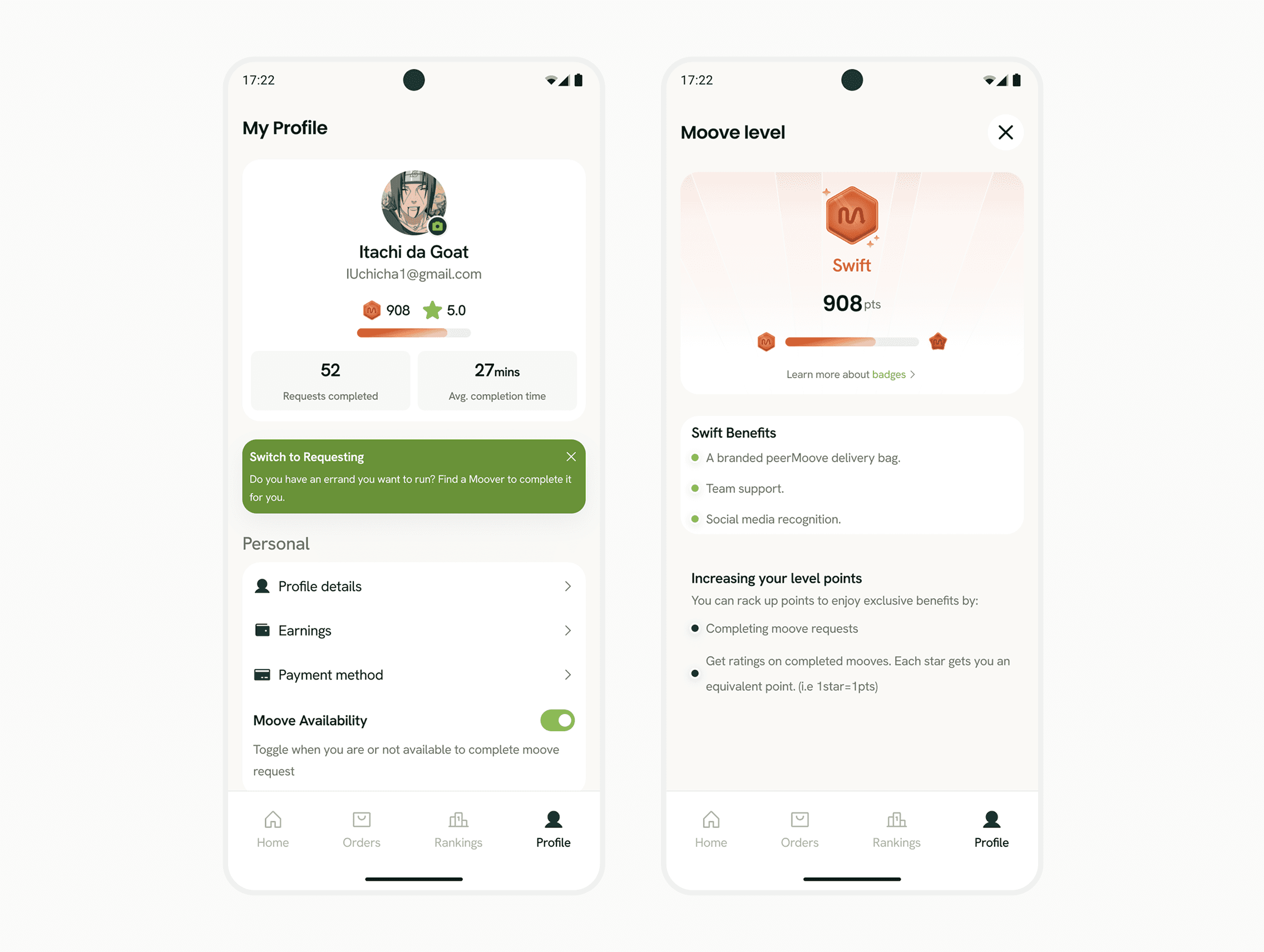
Profile page and badges
The Impact
My contributions to the design direction and decision making of the peerMoove team led to:
1. Stronger student trust
Verification flows, safety policies, and transparent profiles increased user trust significantly. Students were more willing to send fragile items after seeing Moover ratings and badges.
2. Reduced user effort
The three-step request flow helped students act fast between classes. Average session length dropped, but completion rate rose. This is exactly the behavior we aimed for.
3. Higher participation
Gamification created a steady engagement loop. The leaderboard prototype alone increased volunteer sign-ups by 50% percent during user testing.
4. Real-time experience that feels calm, not chaotic
The tracking design keeps focus where users need it while hiding complexity. Students felt “in control” without feeling overloaded.
5. Operational clarity for the Operations team
The dashboard gave visibility into campus delivery behavior. The team could identify top Moovers, common dispute scenarios, and late delivery patterns. This improved planning for future product iterations.
6. A cohesive design identity
Custom illustrations and consistent visual language helped peerMoove stand out from typical logistics apps. The brand feels youthful, safe, and community-driven.
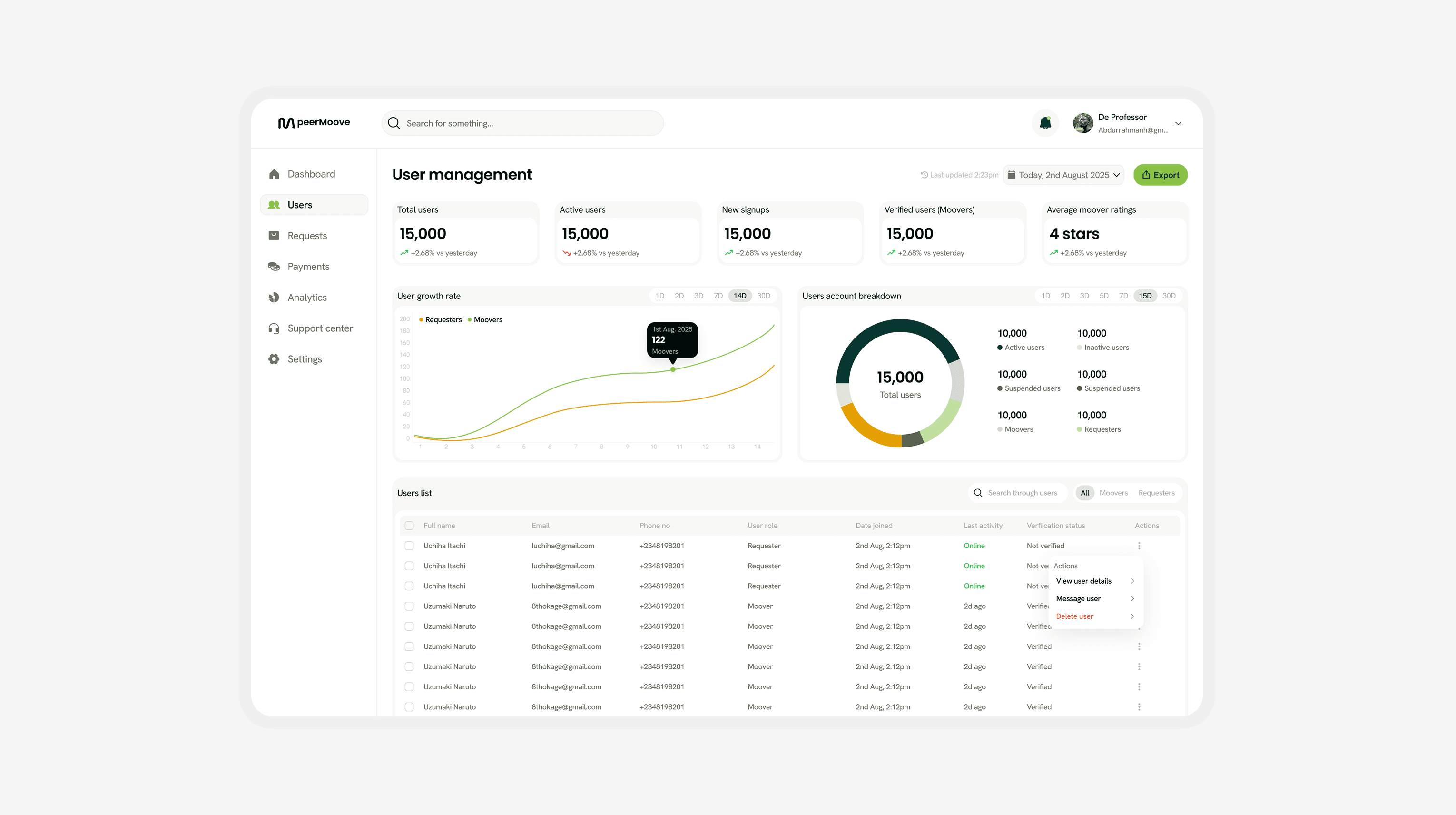
Admin dashboard overview